Introducing mybridal v5 ✨
It’s here! We’re excited to introduce mybridal v5, our latest update packed with improvements designed to make running your boutique that little bit easier.
From a brand new reports area and End of Day reconciliation to automated payment plans and improvements to sales and refunds, there’s plenty to explore.
Here’s what’s new!
A smoother sale flow
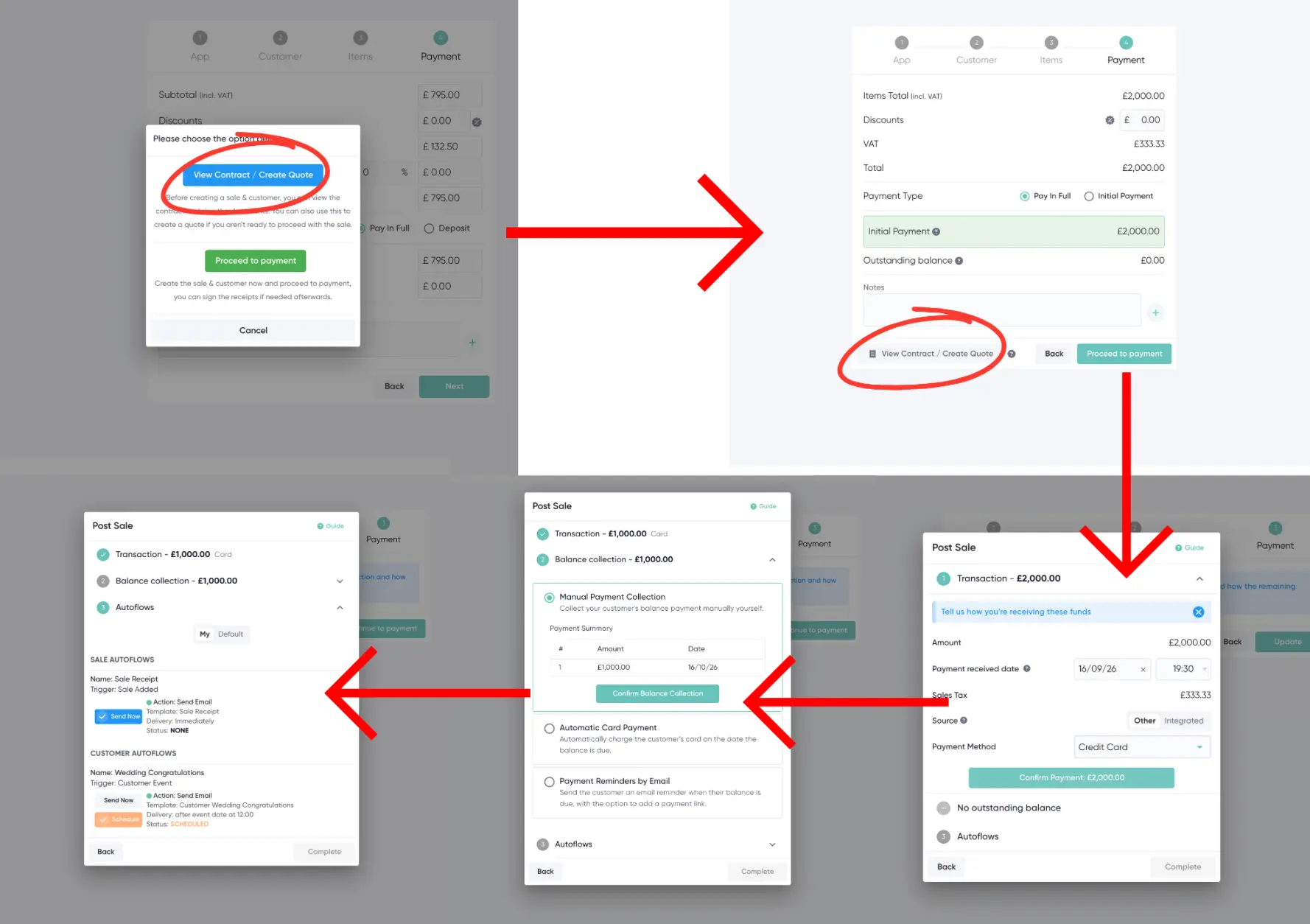
We’ve made several improvements to the way you process sales in mybridal.
The View Contract / Create Quote option is now available directly from the payment stage, making it easier to check or create your customer’s paperwork before completing the sale.
Once a sale is submitted, you’ll also be taken through a clearer post-sale process where you can choose how any outstanding balance will be collected and manage your customer Autoflows.
End of Day
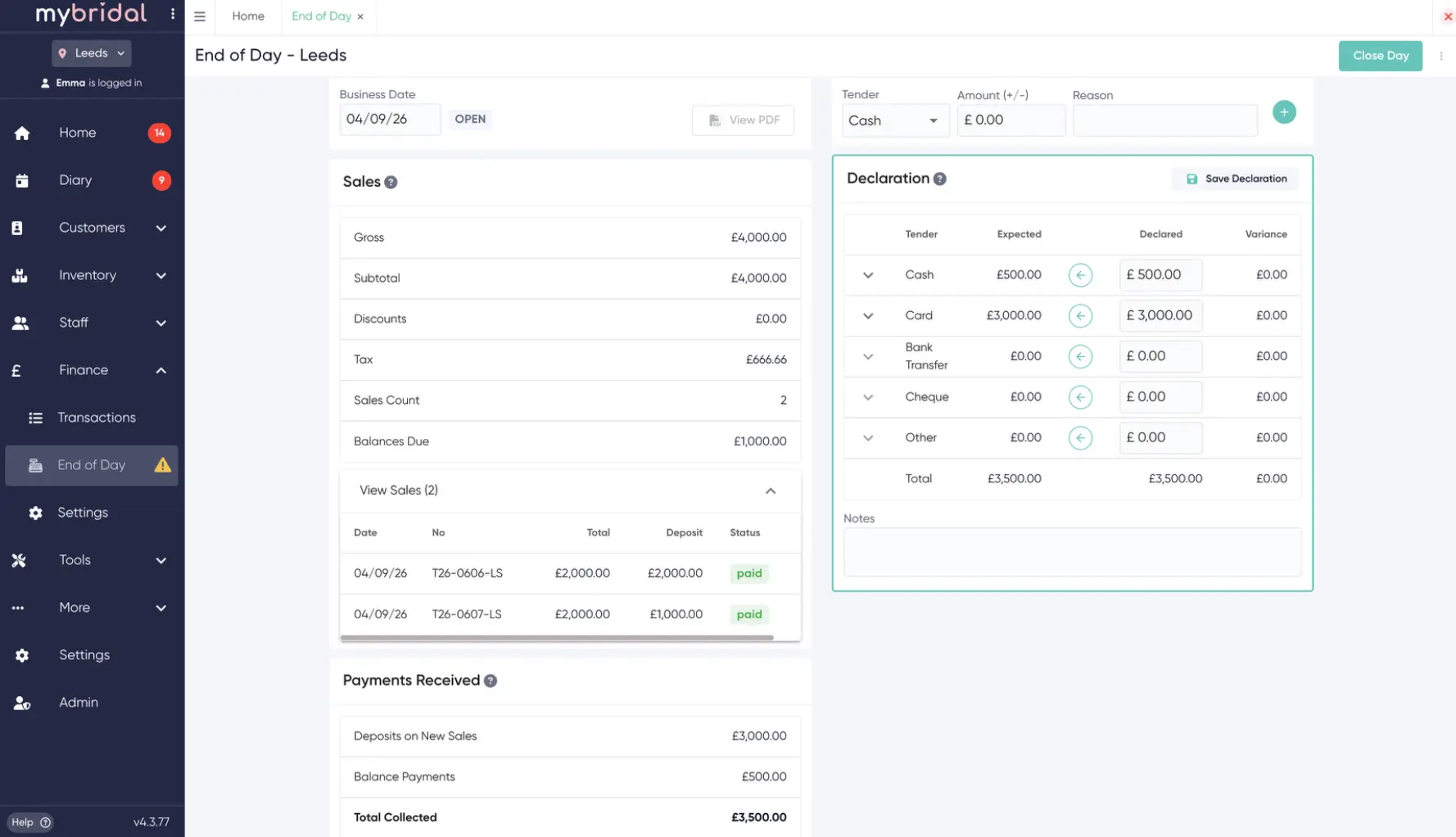
Our new End of Day feature gives you a simple way to close off your business day and reconcile what has been taken.
You can compare the payments mybridal expects against what you've actually received across different payment methods, record any differences and close the day once everything is correct.
You can also generate reports, making it easier to provide the information your accountant needs.
End of Day is completely optional, so boutiques that don't need it can simply leave it switched off.
Automated payment plans
Payment plans just got much easier.
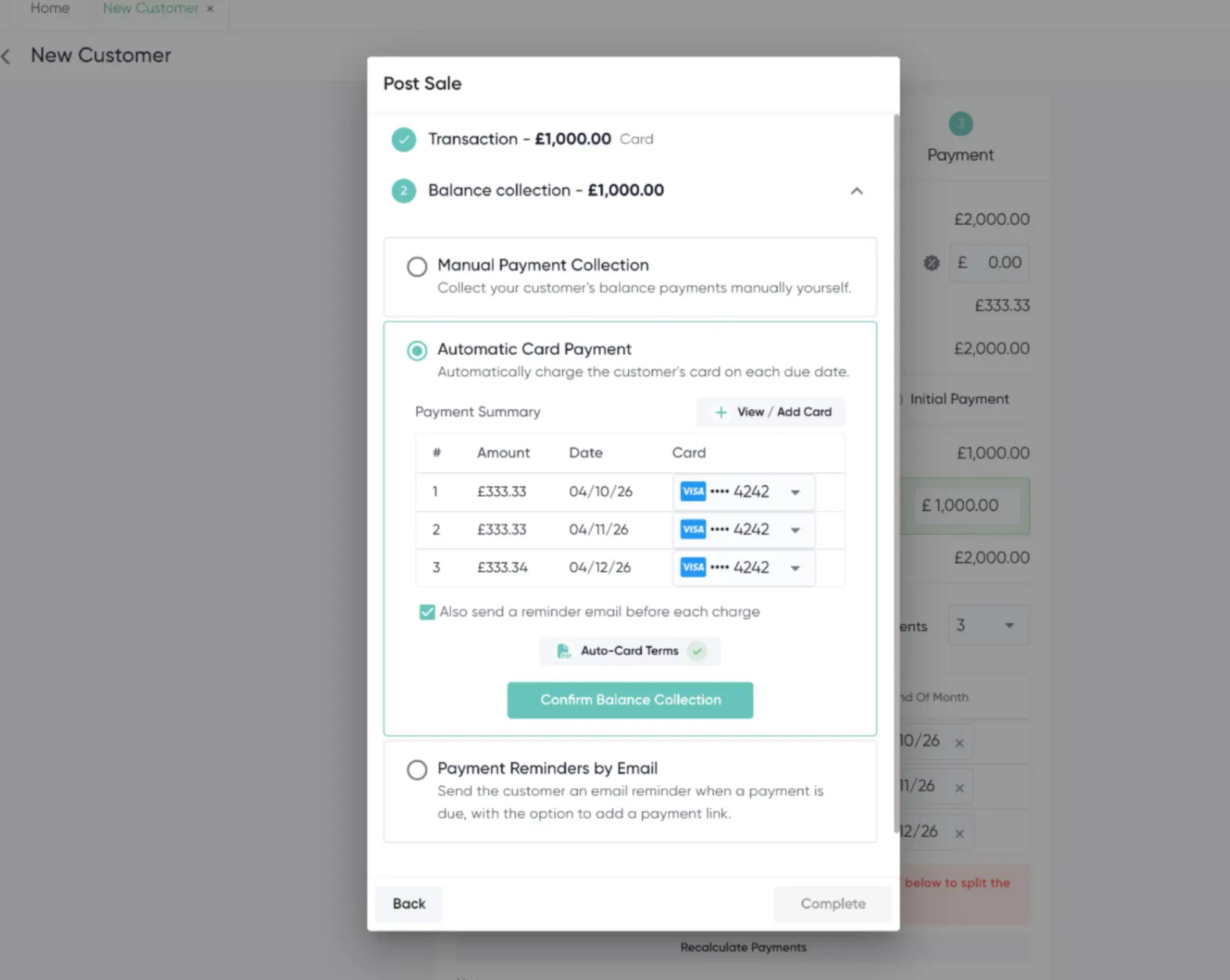
When a customer has an outstanding balance, you can now choose how you want each instalment to be collected.
You can:
- Automatically charge the customer's saved card on the payment date
- Send an email reminder containing a payment link
- Record payments that you're collecting manually
Customers can also be given the option to make balance payments themselves through their customer portal.
This means less time spent manually chasing and processing payments, while still giving you control over how each customer's balance is collected.
A new home for your reports
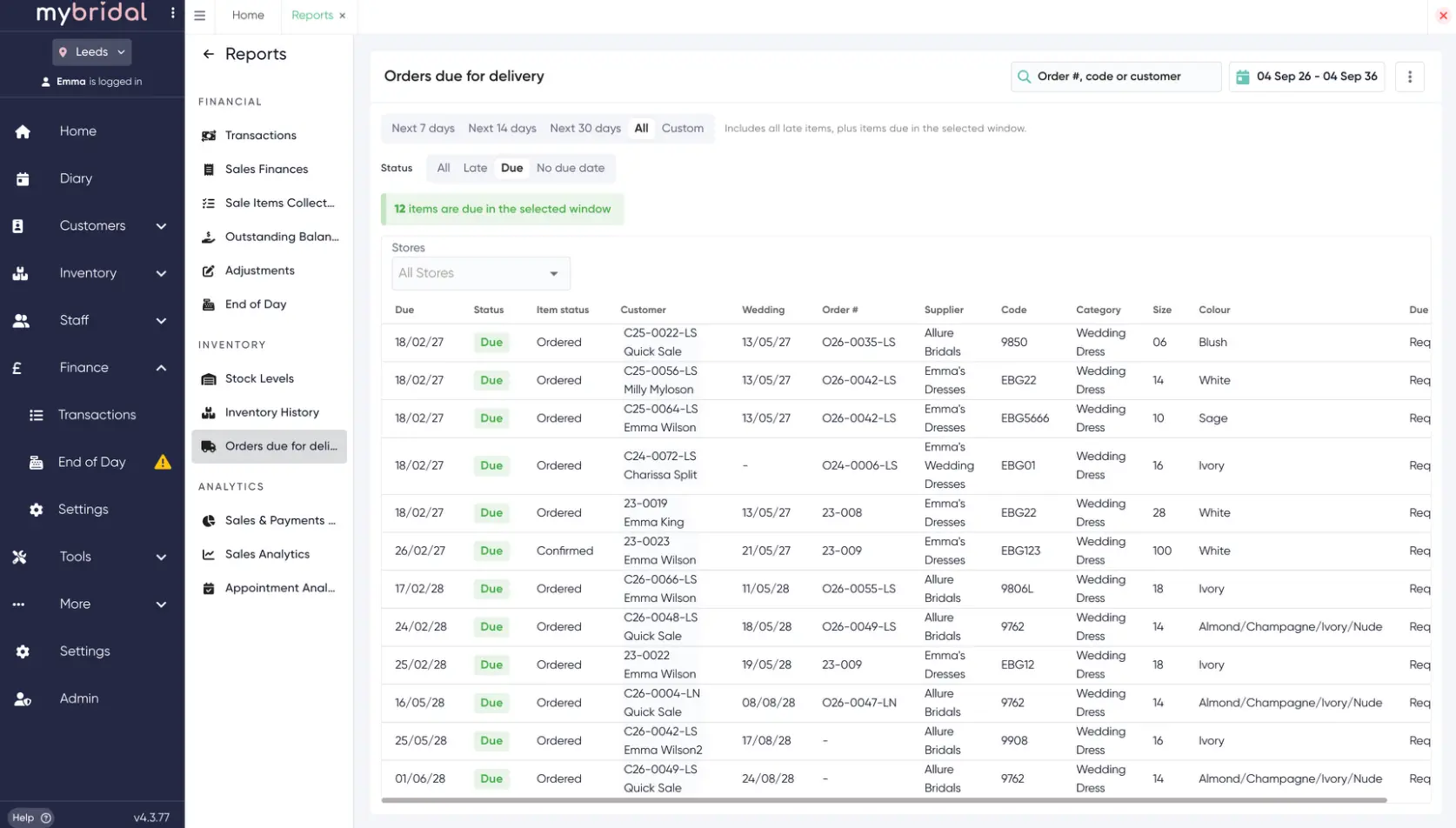
We've created a brand new Reports area, bringing your mybridal reports together in one place.
Reports are now organised into categories and you can search for what you need, making it much quicker to find the right information.
We've also added new reporting options, including Orders Due for Delivery, to help you keep on top of upcoming customer orders.
Smarter refunds
We've improved the refund process to better reflect what is actually happening with the customer's order.
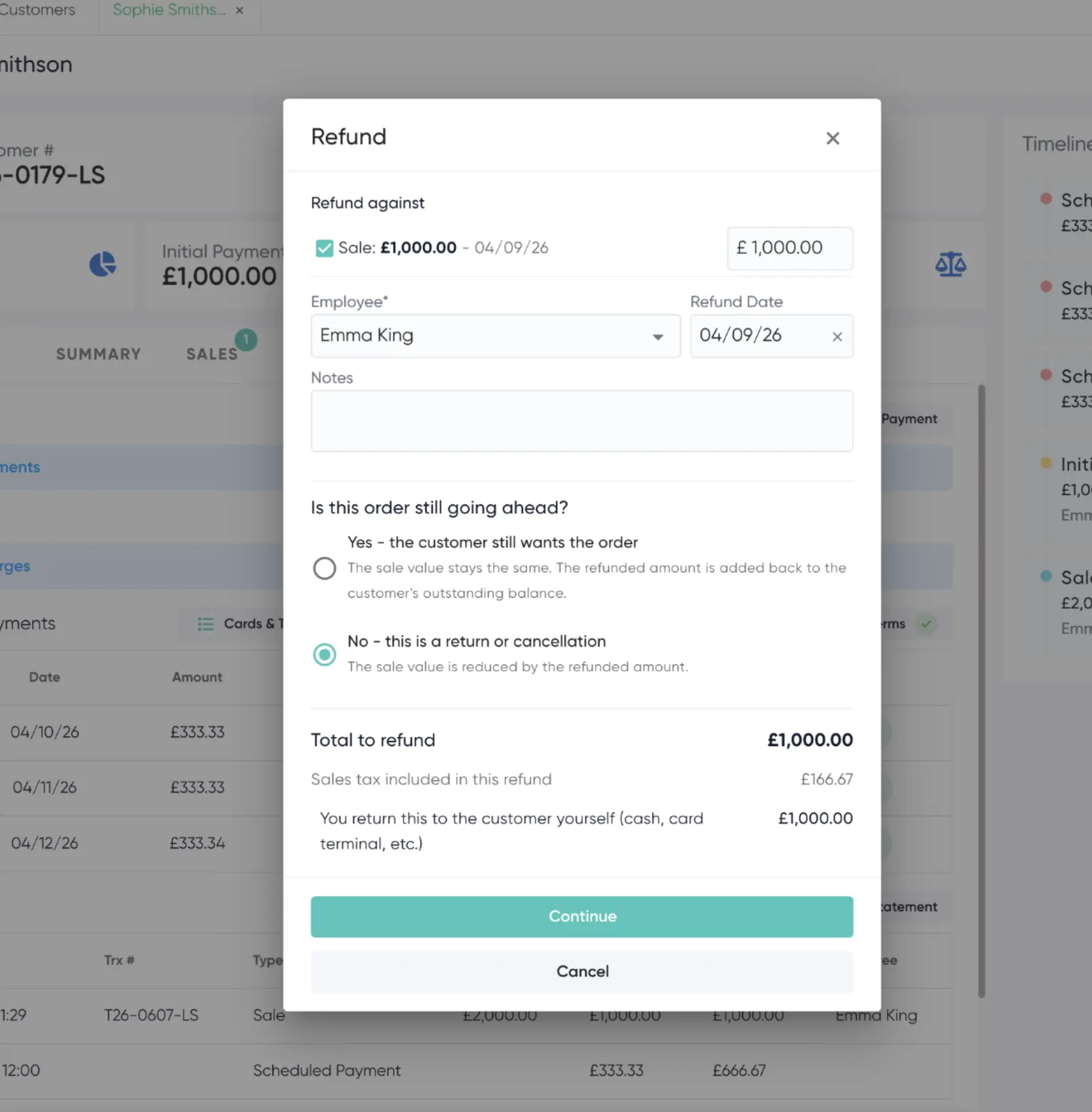
When issuing a refund, mybridal will now ask whether the order is still going ahead.
If it is, the sale value remains the same and the refunded amount is returned to the customer's outstanding balance.
If the refund relates to a return or cancellation, the sale value is reduced accordingly.
You'll also be able to specify whether you're refunding the money back to the customer's card or returning it yourself using another method.
Plus lots of smaller improvements
v5 isn't just about the big new features.
We've also made lots of smaller improvements throughout mybridal, including a clearer process after saving a sale, improvements when editing previous sales, and a reorganised Automation area where Templates, Autoflows and Actions are easier to find and manage.
Explore mybridal v5
Existing mybridal customers already have access to v5. Simply open mybridal and you'll be prompted to update.
Once updated, you'll find a What's New guide inside mybridal containing walkthroughs, screenshots and videos to help you explore the changes.
Not using mybridal yet?
Book a demo and see how mybridal can help you manage your appointments, customers, sales, payments, stock, orders and more, all in one place.