
Appointments & Booking
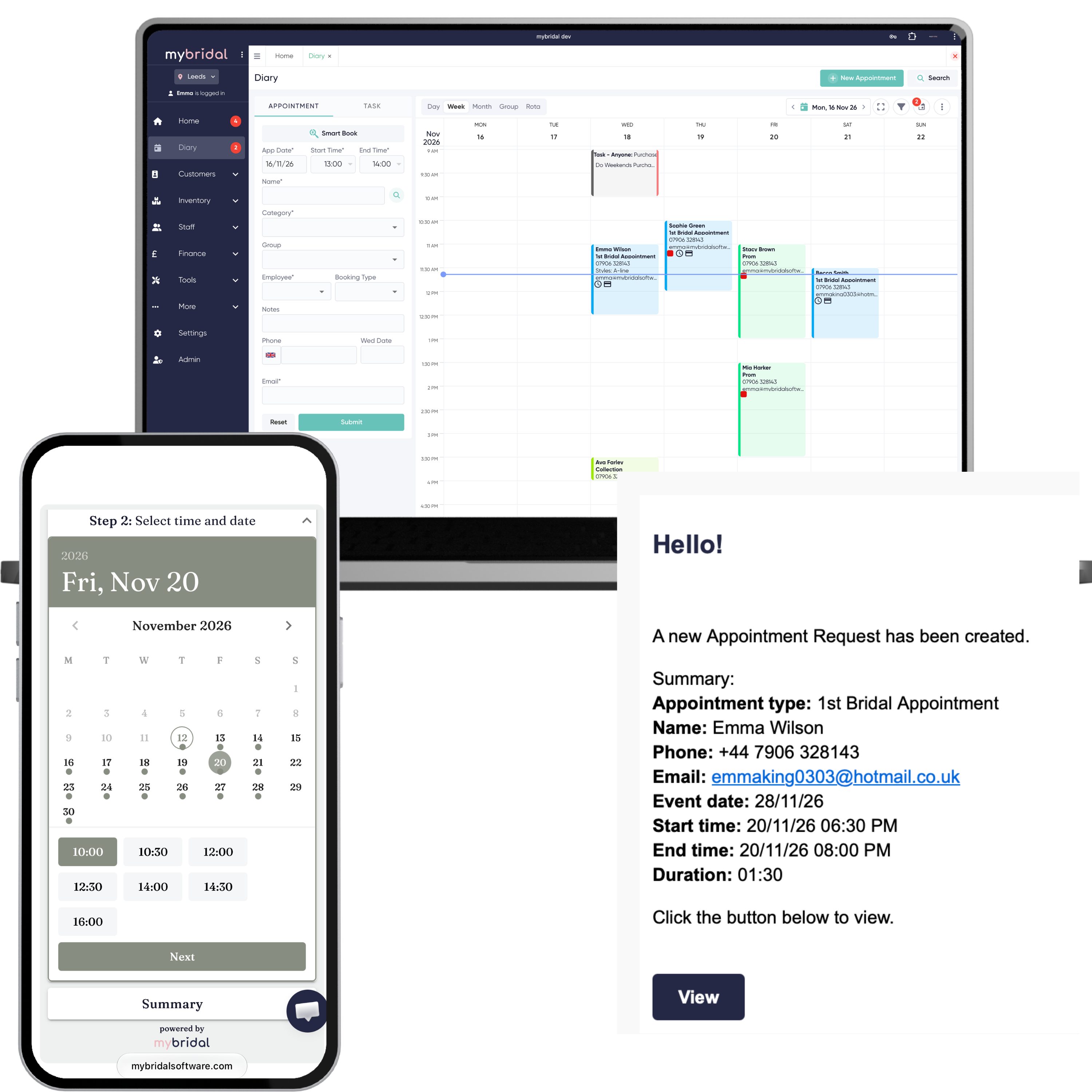
Brides book a visit from the times you actually have free. Your team can see who is coming in, which member of staff they are allocated to and any details that still need confirming.
- Online booking from your live diary, powered by rooms open or the staff rota
- Booking fees, a card held when a bride books online, or payment links for manual bookings
- Custom event availability
- Diary blocks to close the full shop, a room or a staff member
- Embeddable booking form you can put on your own website
- Booking link for social media
- Customisable pre-appointment questionnaires (enquiry forms)
- Space to record appointment notes
- Linked second appointments
- Customisable diary view and colour scheme
- Works with Google Tag Manager, Google conversion tracking and the Facebook pixel
Common questions
Can brides book a visit themselves?
Yes. You get a booking link for your website or social media, and a form you can embed on your own site. They see the times you actually have free. Your team can still book them in from the diary.
Can I take a fee when they book, or only keep their card?
Once Stripe is connected, each appointment type can take a fee at the time of booking, or save the card so you can charge it later, for example if they do not turn up. Appointments you book yourself can be sent a payment link instead.
How does mybridal decide which times to show?
From the booking setup you save. You choose which rooms are open, which appointment types run on which days, and whether availability follows the staff rota or your room rules. A diary block can close the whole shop, one room, or one member of staff, and a one-off event can have its own times.
Can they change the time without calling the shop?
If you turn it on, they can pick a new date or time from the link in their confirmation. You choose how far ahead they have to do it, and how many times they can move it. If that appointment comes in as a request, the new time comes in as a request too.
Customer Management
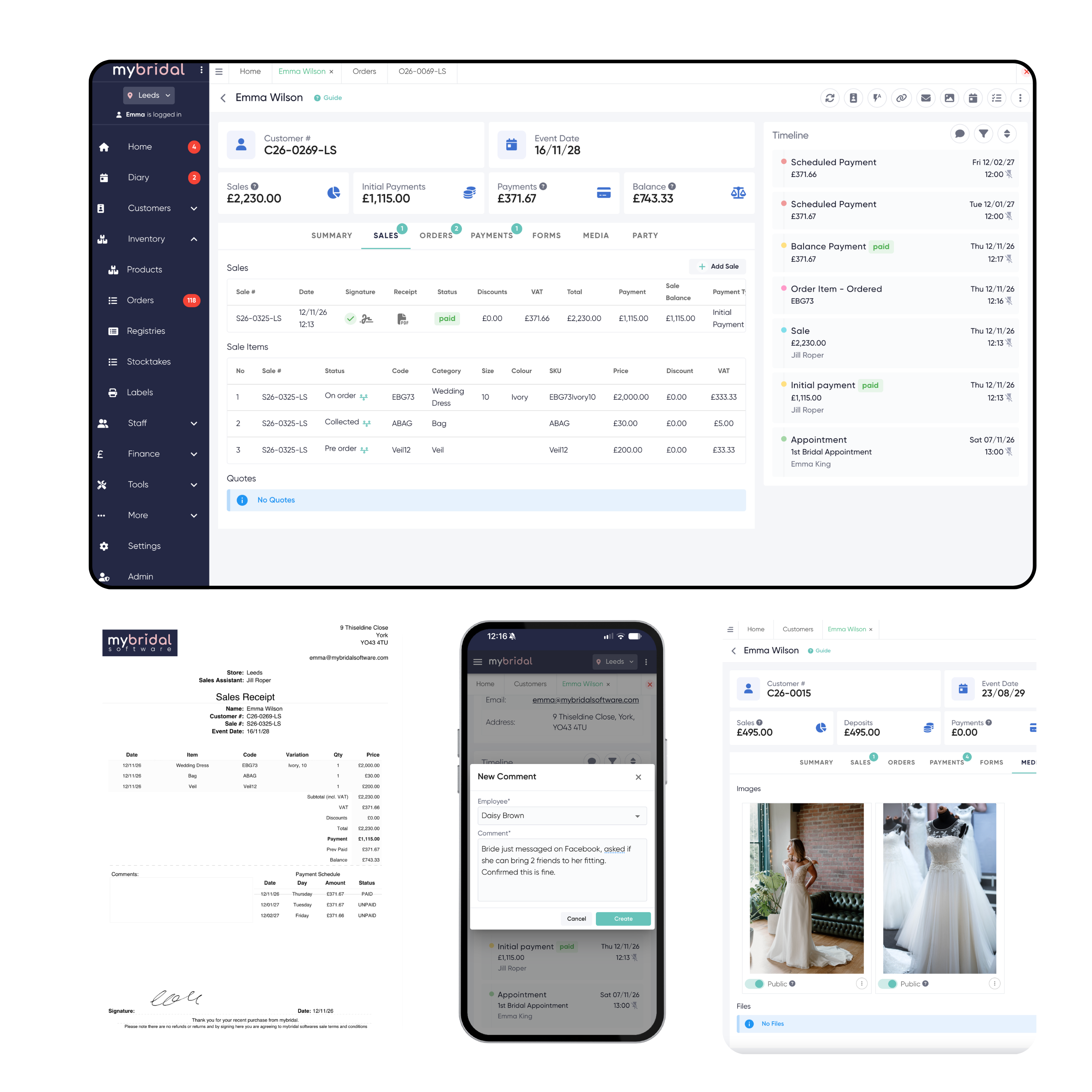
Open one customer record and see the bride's details, what she has bought, the documents she has signed, what balance she has and any notes you have made.
- Details, appointments, purchases, orders and images together on one profile
- Digital signatures on invoices and collection paperwork
- Individual sale item status, to track when a dress is on order but a bag is collected
- Detailed timeline, with everything time and date stamped
- Space for comments, to document notes and all communication
- Media space for the images or files you want to upload
- Linked party members, so a bride and her bridal party stay together
Common questions
What can I see when I open a customer?
Their details, appointments, purchases, orders and images, plus any notes and files you have added. The timeline records what happened, with the time and date.
Can I see which items are collected and which are still to come?
Yes. Each item on the sale has its own status, so a dress can still be on order while a bag is already collected.
Can they sign the paperwork in the boutique?
Yes. Invoices and collection paperwork can be signed on screen, and the signed copy stays on their record. You can also send invoices to be signed by email in case they change their mind and decide to purchase once they have gone home.
Can they look up their own purchases and balance?
If you are on the Growth or Advanced plan you have access to the customer portal. You can choose to give your customers access to this, which allows them to see their sales, payment and balance records. You can also choose if you want to allow them to pay balances directly here using the Stripe integration. On Starter it can be added for £20 a month.
Sales & Payments
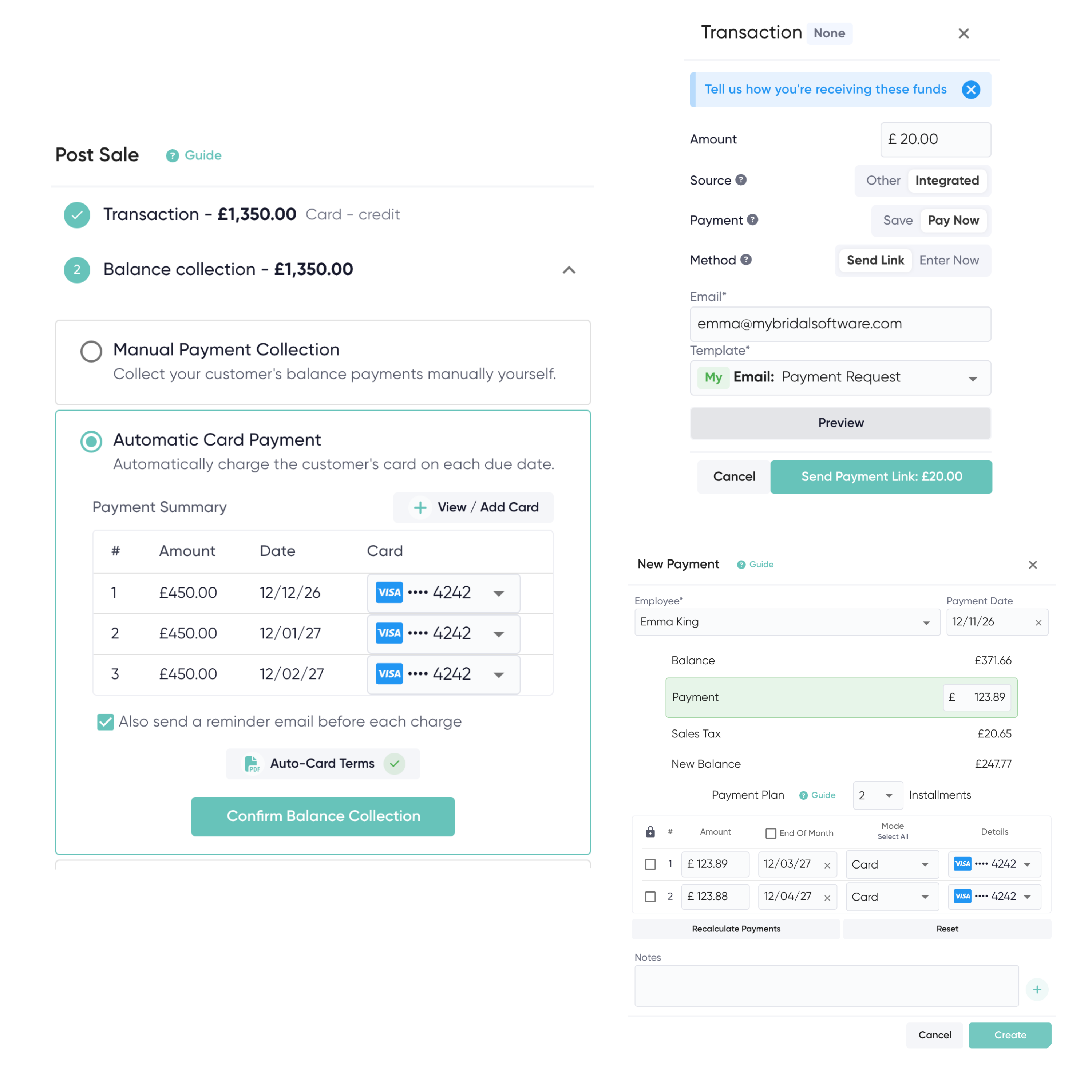
Take the deposit in store, send a link for the rest, or set up a payment plan. The balance stays on the customer account, so anyone on the team can see what is still owed and when it is due.
- Quotes, deposits and outstanding balances on the customer
- Payment plans and payment links
- Automatic card payments for balances that are due, via Stripe
- Digital signatures available for all payment invoices
- Add second sales to the balance of a customer's account
- Refunds and account balance clearing
Common questions
Do card payments have to go through mybridal?
No, you don't have to take all payments through mybridal or use Stripe at all. You can continue to use your normal card machine and just log the transactions on mybridal. This creates you a full transaction log which can be used for accountancy and show you outstanding customer balances. However, if you want to you can use our Stripe integration to directly take card payments, send payment links or take automatic balance payments. The choice is yours!
How do payment plans work?
The amount still owed can be split into dates. For each date you collect it yourself, email a reminder with a payment link, or charge a saved card when it is due. Those can be mixed on the same customer. When the balance reaches zero, the plan is cleared.
Can a later purchase sit on the same balance?
Yes. A second sale, such as a veil or accessories, can be added to the balance already on their account.
What if money needs to go back?
You can refund a payment or clear an account balance. Their record keeps what was paid and what was returned.
Inventory & Orders
Know exactly which dresses are on the floor, which are on order for a bride, and when they are due in.
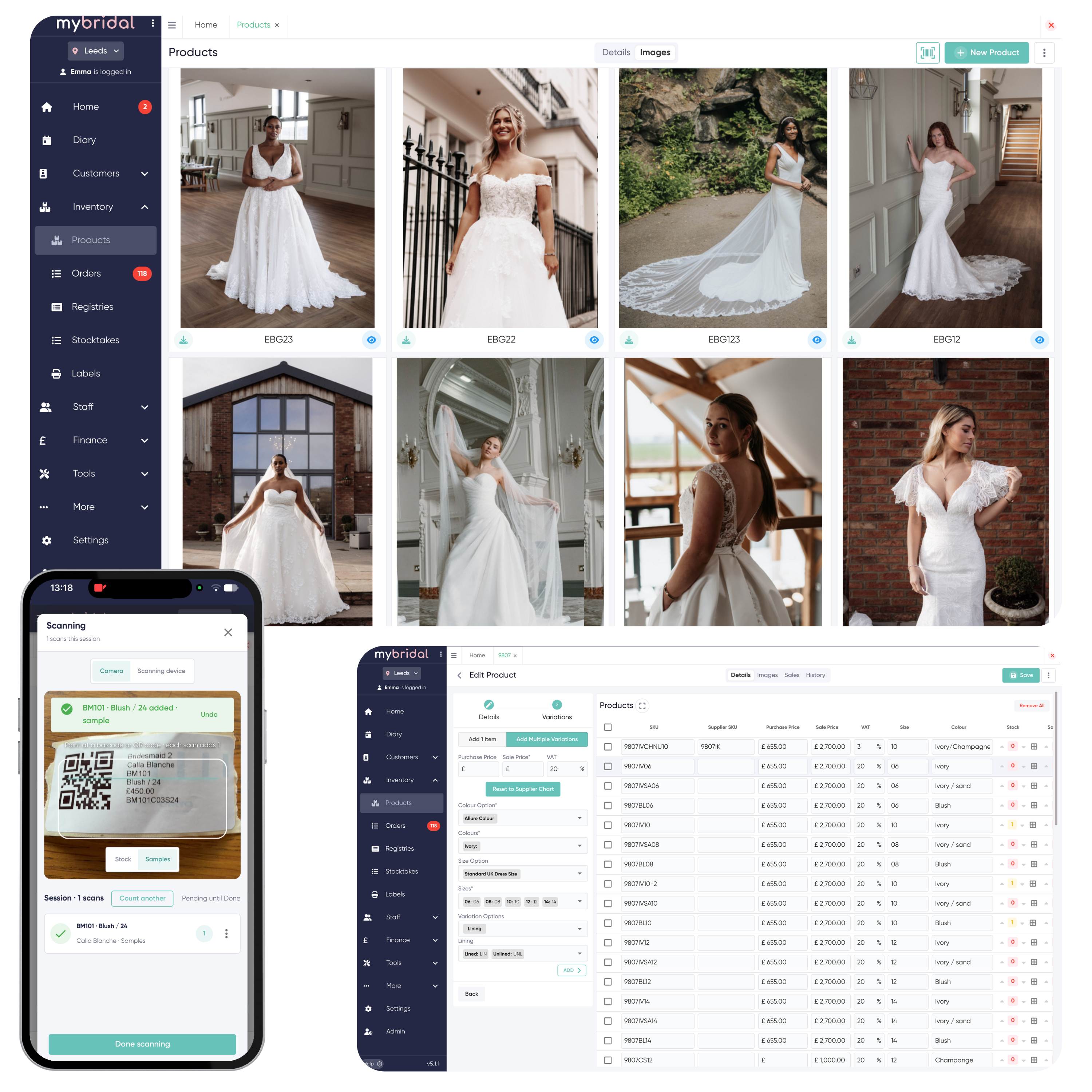
- Dresses, accessories and all inventory in one place
- Track when sale items need ordering
- Stay on top of when orders are scheduled to arrive, and any that are overdue
- Easily see your stock levels and value
- Printed product labels
- Stocktake feature
- Individual product history and sales history per item
- Prom registries, so you can see which schools you have sold each dress to
- Products API available for use
Common questions
Can I bring across my existing inventory records?
Yes. Moving products across is included free on every plan. Email help@mybridalsoftware.com and the team will tell you what they need.
How do I see what is still to order for a bride?
When you add a sale you select the fulfilment for each item. All items needing to be ordered will be sat waiting in the Unordered section until you are ready to make a purchase order for them. The customer profile shows which items still need ordering. Orders show when they are due in, and which ones are overdue. Each product also keeps its own history, including past sales.
Can I print labels and check stock levels easily?
Yes. You can print product labels, see stock levels and the value of what you are holding, and run a stocktake so the system can be checked against the shop floor.
Can my products sync through to my website?
Yes. We have a products API available which can be used by a web developer to sync your mybridal stock to your website.
Automated Communications
Reminders, follow-ups and payment messages can go out on their own, using any wording you want.
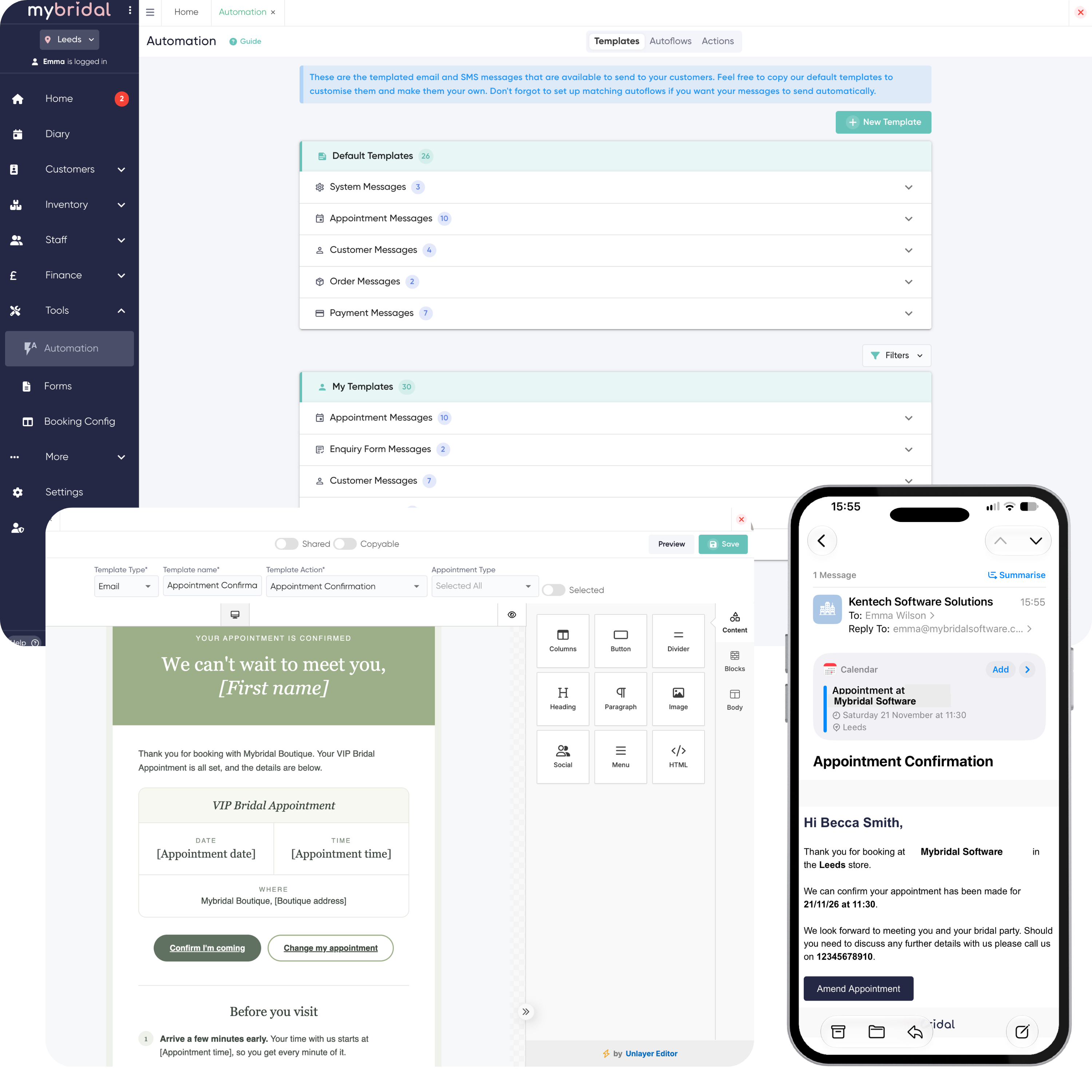
- Customisable templates, so you can communicate exactly the information you want
- Filter your templates for different appointments or customer types, perfect if you do bridal and prom sales
- Autoflow triggers for many events, including appointment messages, follow-ups, payment reminders, order confirmations and wedding day congratulations
- Add your own colours and images to messages to match your own branding
Common questions
What messages do you have?
We have all sorts of different message options based around different triggering events. Examples are messages for appointment confirmation and reminder, sale receipts, payment confirmations, balance reminders, ordered items arriving in store and wedding day messages. These can be filtered to have different message types for different appointment types or customer groups like bridal and prom.
Is it email, text, or both?
Both. Autoflows send the email and SMS templates you set up. Each plan includes a set number of free texts each month, but you can purchase more SMS credits that sit on your account when you need them, if you run out. Emails are unlimited.
Can the messages look like my boutique?
Yes. You can add your own colours and images, and the wording is yours.
Do I still have to remember to send them?
No. An Autoflow sends when the triggering event happens, at the time you have set up. The team can still send manual messages to customers individually if they want.
What happens if my customer replies to the message?
Email responses will go to your store email address so you can continue the conversation. SMS is one way only. If a customer tries to reply to you the message will instantly fail to send and say 'no reply', so there is no confusion.
Finance & Reporting
See what the boutique took, what is still outstanding, and close the till at the end of the day without adding it up by hand.
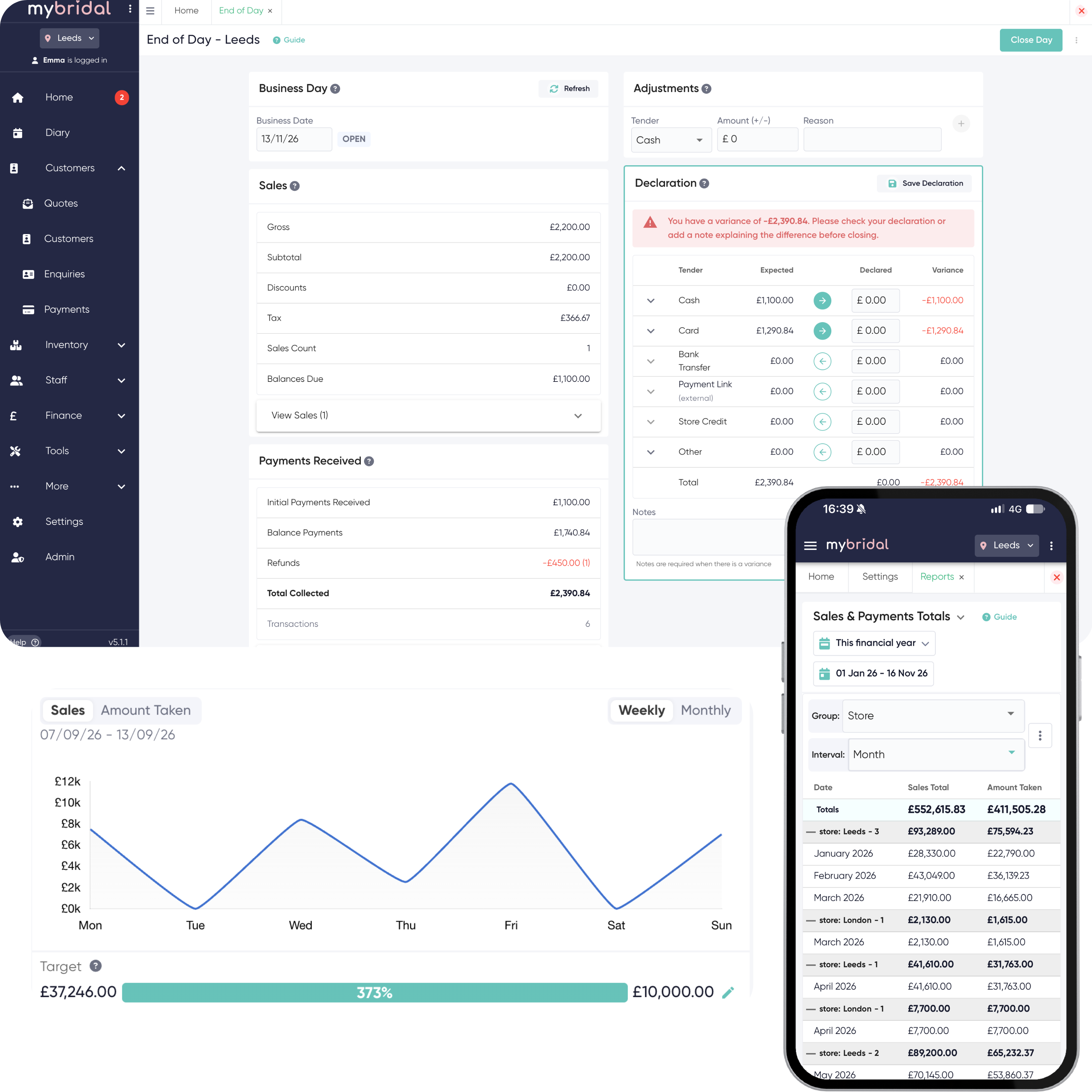
- Reports for sales, payments, outstanding balances and all transactions, perfect for accountancy
- End of Day, so you compare what the system expected you to receive with what you counted in the till
- Inventory reporting to keep track of your best (and worst) sellers, any late orders and your total stock value
- Appointment analytics to keep track of your conversion and attendance rates
Common questions
Which numbers can I pull out?
Sales, payments, outstanding balances and every transaction, which is the set most accountants ask for. Inventory reports cover your best and worst sellers, late orders and the value of your stock. Appointment reports cover conversion and who attended.
What is End of Day?
It is the till close. You compare what mybridal expected you to take with what you counted. It stays off until you turn it on. If something is corrected after you have closed the day, the original count stays as it was and the change is kept as an adjustment.
Can my accountant use this?
Yes. The sales, payment and transaction reports are there for the accounts. End of Day gives you a locked record of what the till did that day.
How do I know if appointments are turning into sales?
Appointment analytics show your conversion and attendance, so you can see how the diary is doing as well as what the till took.
Staff Area
Keep track of your employees' scheduled hours, or allow them to clock in and out.
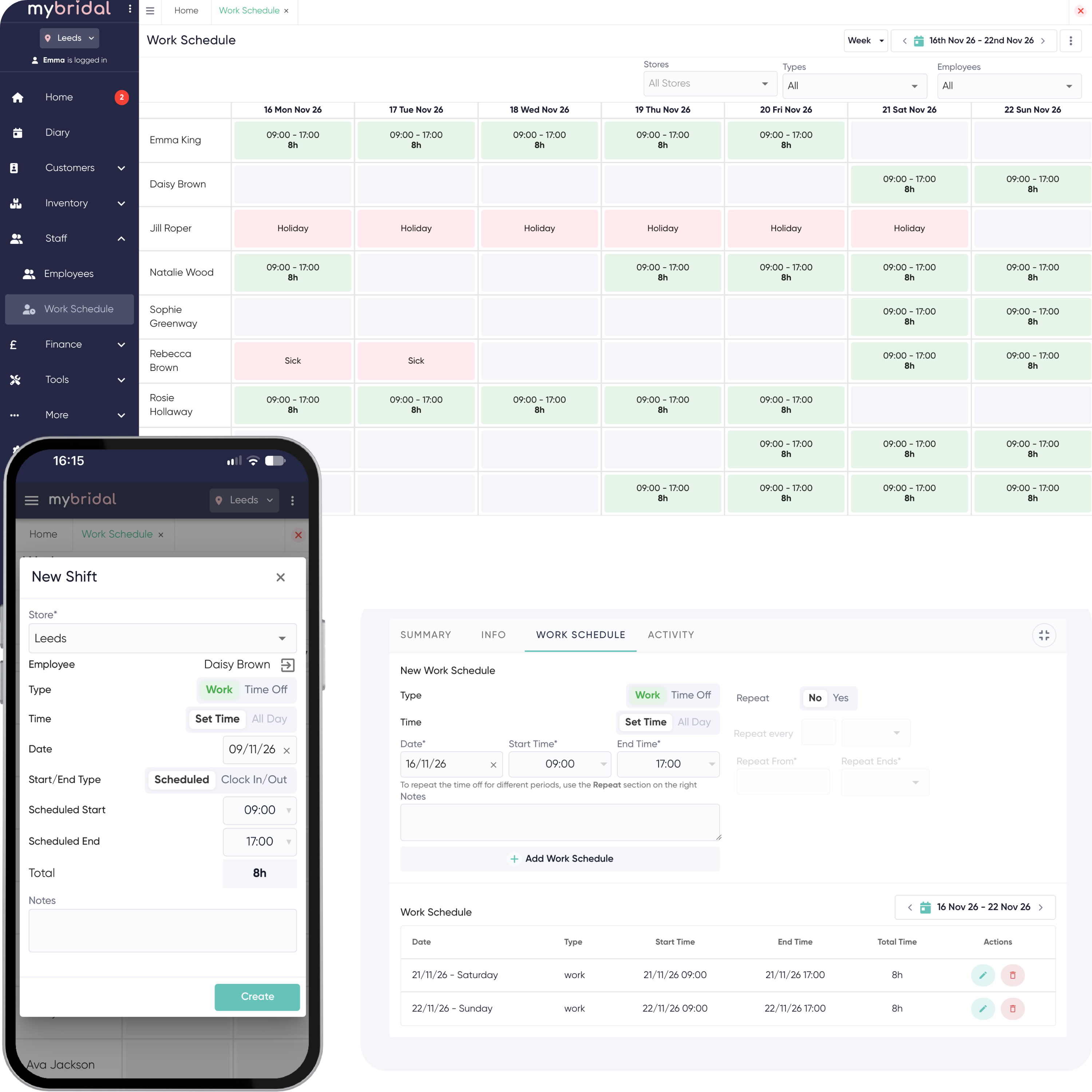
- Work Schedule to generate repeatable work patterns
- Pulls through to the diary, so you can see who is working each day and which appointments are allocated to each staff member
- Clock in / out feature
- Log time off and generate a time off report
- Work schedule is exportable for timesheets and payroll
- Each staff member has their own area where they can view their own customers, the tasks allocated to them and their upcoming appointments
Common questions
Does the work schedule show in the diary?
Yes. You can see who is working each day, and which appointments are allocated to each person. Online booking can follow that rota when you set it up that way.
Do staff have to clock in and out?
No. You can plan repeating hours on the work schedule, or use clock in and clock out as well. Time off can be logged, and there is a report for it.
Can I use the hours for payroll?
Yes. The work schedule can be exported for timesheets and payroll.
Can I see staff time off?
Yes. We have a report that allows you to look at time off for any period for each staff member and the different reasons behind this.
Start your 30-day free trial
No credit card required. No commitment to sign up.